GradeWithAI vs Writable
Writable is HMH's writing program for grades 3 to 12, where students draft and revise and teachers give feedback with AI help. GradeWithAI scores and returns finished work in any subject, essays included, against your rubric.
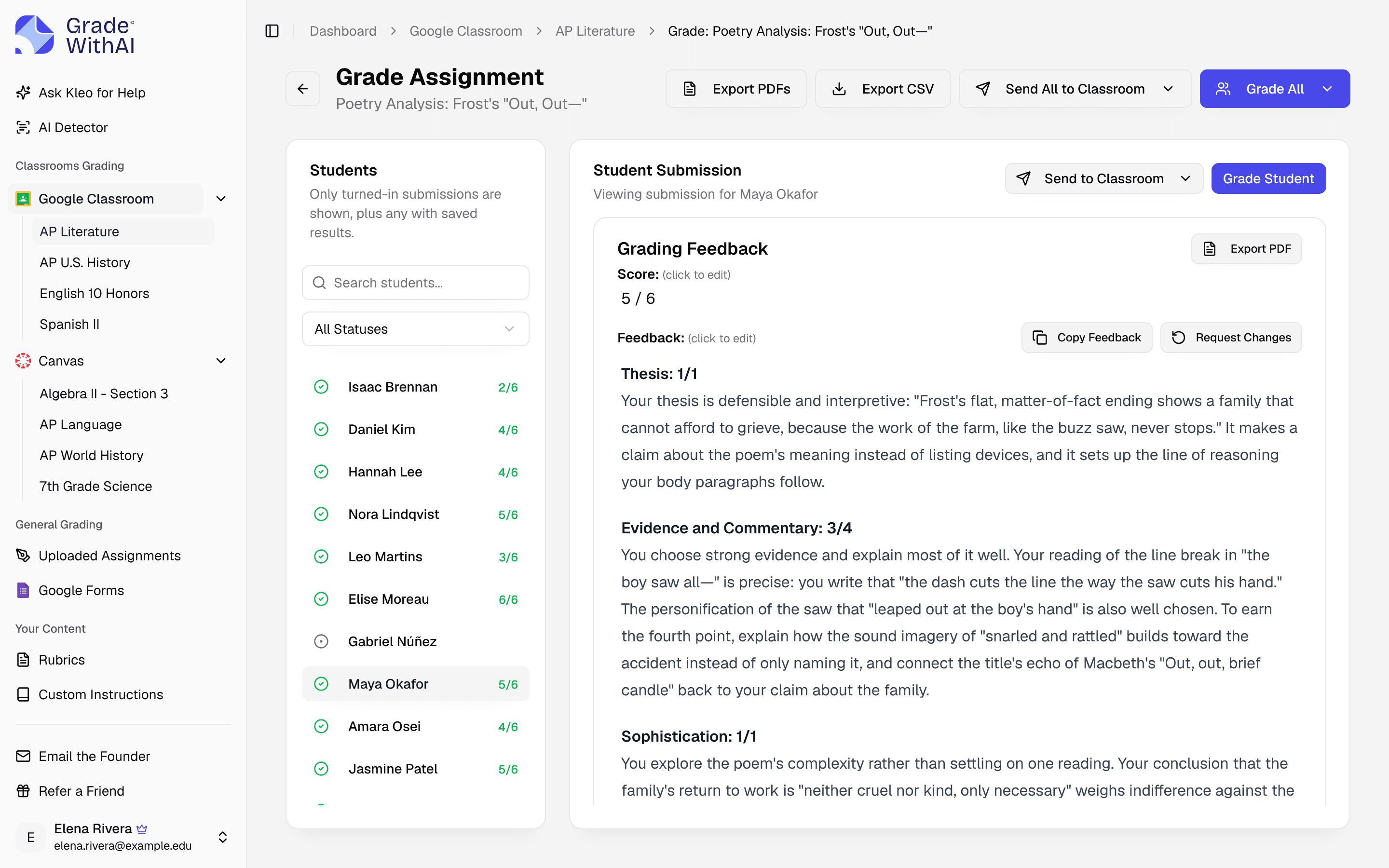
- GradeWithAI is best for
- Teachers who grade writing alongside quizzes, math, lab reports, and AP responses, and want scores sent to Canvas or Google Classroom.
- Writable is best for
- Schools that want a writing curriculum for grades 3 to 12, with prompts, daily writing, revision, and peer review.
Where the products differ
Checked against each product's public documentation in October 2026.
| Criteria | GradeWithAI | Writable |
|---|---|---|
| Primary workflow | Grade finished work and return scores and comments. | Daily writing practice, revision, and peer review with AI feedback. |
| Subject range | Any subject: writing, math, science, history, short answers, and projects. | Writing for grades 3 to 12, with English and Spanish rubrics. |
| AI scoring | Draft scores and comments for each rubric criterion, which you review before sending. | AI-generated draft scores and rubric-aligned comments that teachers adjust. |
| Pricing | Free plan; Pro $20 a month or $120 a year. | Sold through HMH; pricing on request. |
Writable details checked against hmhco.com/programs/writable in October 2026.
Where GradeWithAI fits better
- Grades tests, short answers, math, and handwritten work as well as writing.
- Sends reviewed scores and comments to Canvas or Google Classroom, or exports a CSV.
- Any teacher can start on the free plan without a district contract.
- Free no-login tools such as the rubric generator and writing prompt generator.
How to test it against Writable
- 1Pick one writing assignment and download the submissions.
- 2Upload the same rubric into GradeWithAI.
- 3Compare the draft scores and comments with the ones you'd give.
- 4Use GradeWithAI for grading-heavy units, and keep Writable where its revision cycle helps students.
More comparisons
GradeWithAI vs EssayGrader
For teachers who grade math, tests, and quizzes in the same week as essays, in any subject.
GradeWithAI vs Brisk Teaching
For teachers who need scores sent to the gradebook as well as written feedback on each submission.
GradeWithAI vs CoGrader
For teachers who grade math and Google Forms quizzes as well as essays and written work.
Further reading: AI grading tools for teachers, Grading software for teachers, VibeGrade alternatives
Writable comparison questions
Answers to common questions from teachers and school leaders. Something not covered here? Email john@gradewithai.com.
No. It grades writing, and also math, tests, short answers, lab reports, projects, and handwritten work, from Canvas, Google Classroom, Google Forms, or uploaded files.
Yes. Feedback is scored by rubric criterion and says what to fix, and you can edit it before students see it.
When the main goal is a writing curriculum with daily practice, revision, and peer review, rather than grading work across subjects.
Last updated
Grade your next class set with GradeWithAI
Try it on one class set. The free plan grades 25 submissions every 30 days.
Free plan · No credit card required
Reported by teachers using GradeWithAI, with feedback on every submission they grade.