

Trusted by teachers using Microsoft Teams
History grading built for Microsoft Teams
Purpose-built AI grading that integrates seamlessly with your Microsoft Teams workflow.

DBQ & Document Analysis
Grade document-based questions with feedback on sourcing and contextualization.
Historical Thinking Evaluation
Assesses cause-effect reasoning, comparison, and historical argumentation.
Evidence Assessment
Evaluates how well students use historical evidence to support arguments.
Teams Grade Sync
Grades and feedback push directly to Microsoft Teams assignments.
Why teachers love GradeWithAI for history grading
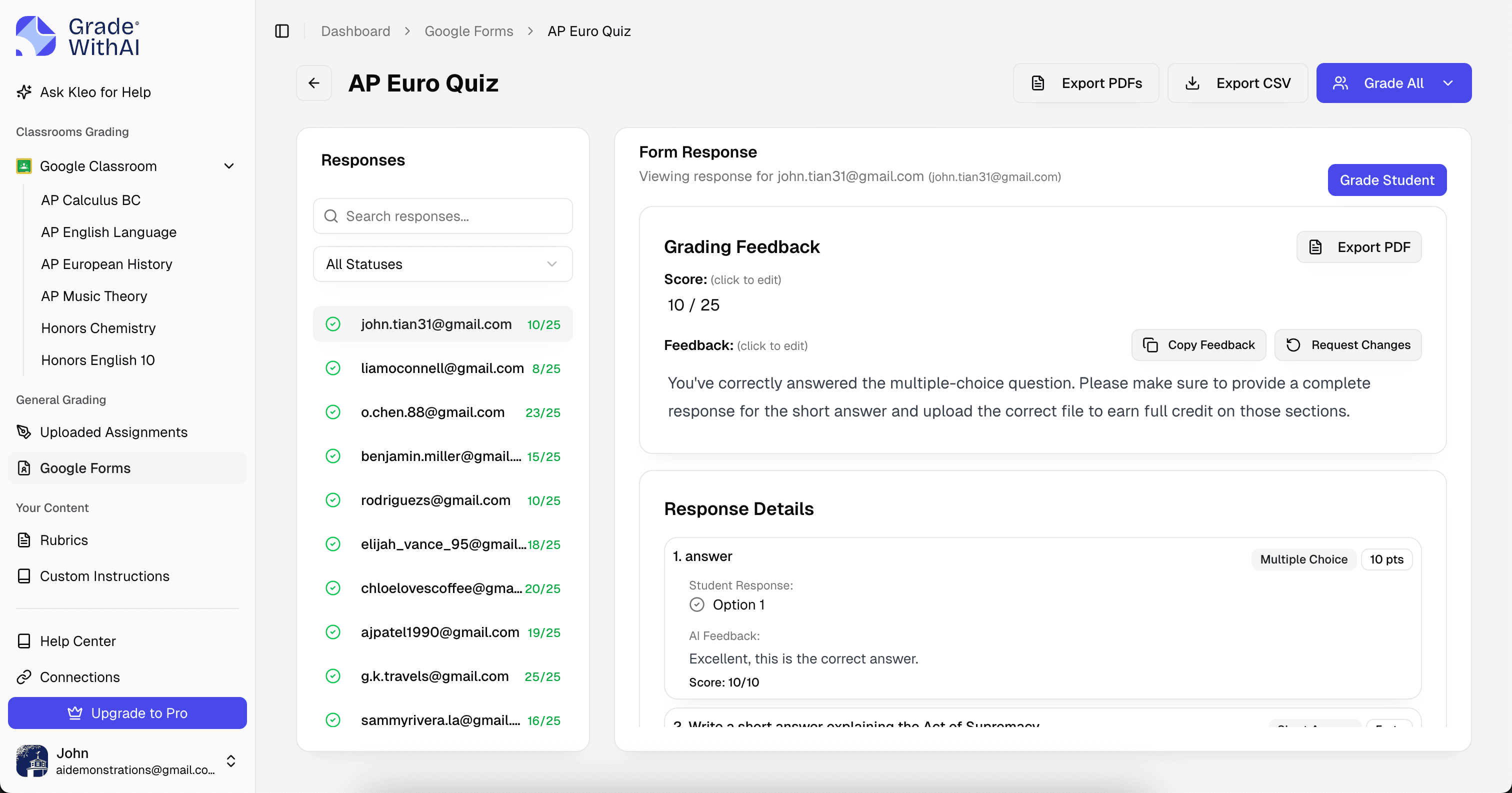
Save hours every week with AI-powered history grading that integrates directly with Microsoft Teams.
- Grade history essays efficiently
- Consistent historical analysis feedback
- Works with AP and standard courses
- Syncs to Teams gradebook
- Enterprise security and compliance
Get started in 3 simple steps
From sign-up to graded history assignments in under 5 minutes.
Connect Microsoft Teams
Sign in with your Microsoft Teams credentials. We'll securely sync your classes and history assignments.
Select an assignment
Choose which history assignment to grade. Set up your rubric or let AI generate one.
Review & return grades
AI grades all history submissions. Review, adjust if needed, and push back to Microsoft Teams.
Frequently Asked Questions
Everything you need to know about history grading with Microsoft Teams.
Can it grade DBQs from Teams?
Yes! The AI evaluates document analysis, sourcing, contextualization, and argument construction.
Does it work with AP History courses?
Absolutely. Grade to AP rubrics for US History, World History, and European History.
How does feedback get to students?
When you sync grades, feedback appears on students' Teams assignment submissions.
Is it secure for school use?
Yes. Enterprise-grade security with FERPA and COPPA compliance. Uses Microsoft OAuth authentication.
Other Microsoft Teams Grading
Other Supported Platforms


Free teacher tools: