
Trusted by teachers using Canvas
Quiz grading built for Canvas
Purpose-built AI grading that integrates seamlessly with your Canvas workflow.

Essay Question Grading
AI grades essay questions in Canvas quizzes with detailed feedback on content, reasoning, and writing quality.
Short Answer Support
Grade short answer and fill-in-the-blank questions that require more than simple matching.
Per-Question Feedback
Students receive specific feedback for each graded question, helping them understand what to improve.
SpeedGrader Integration
Quiz grades and feedback sync directly to Canvas SpeedGrader for easy review and return.
Why teachers love GradeWithAI for quiz grading
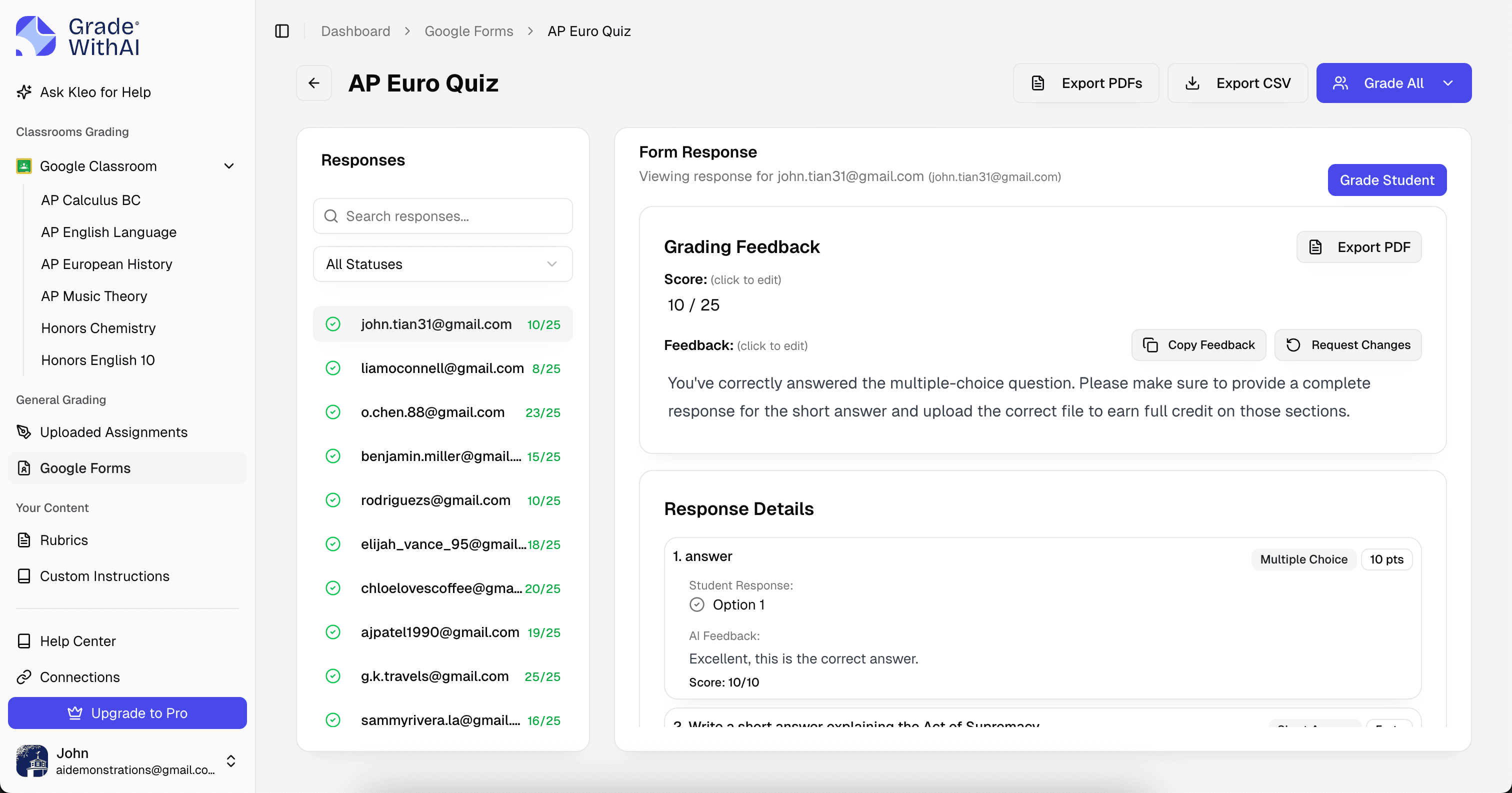
Save hours every week with AI-powered quiz grading that integrates directly with Canvas.
- Grade quiz essay questions in minutes
- Works with mixed question type quizzes
- AI handles open-ended questions, Canvas handles auto-graded ones
- Per-question scoring and feedback
- Syncs directly to Canvas gradebook
- Configure grading instructions per question
Get started in 3 simple steps
From sign-up to graded quiz assignments in under 5 minutes.
Connect Canvas
Sign in with your Canvas credentials. We'll securely sync your classes and quiz assignments.
Select an assignment
Choose which quiz assignment to grade. Set up your rubric or let AI generate one.
Review & return grades
AI grades all quiz submissions. Review, adjust if needed, and push back to Canvas.
Frequently Asked Questions
Everything you need to know about quiz grading with Canvas.
What quiz question types can it grade?
GradeWithAI grades essay questions, short answer, fill-in-the-blank, and file upload questions. Multiple choice, true/false, matching, and numerical questions are auto-graded by Canvas.
How do I set up quiz grading?
Navigate to your Canvas course in GradeWithAI, click the Quizzes tab, select a quiz, and configure grading instructions for each question. Then grade all submissions with one click.
Can I provide different instructions per question?
Yes! Each essay or short answer question can have its own grading instructions, answer key, or rubric criteria.
Will students see per-question feedback?
Yes. When you sync grades to Canvas, students receive feedback for each graded question as submission comments.
Other Canvas Grading
Other Supported Platforms


AI Grading by Assignment Type
Free teacher tools:

Ready to transform your quiz grading?
Join thousands of teachers who save 10+ hours every week with AI-powered grading for Canvas.
Free plan available • No credit card required
Teachers using GradeWithAI report grading in a fraction of the time, with richer feedback for every student.


