AI science grading for Canvas
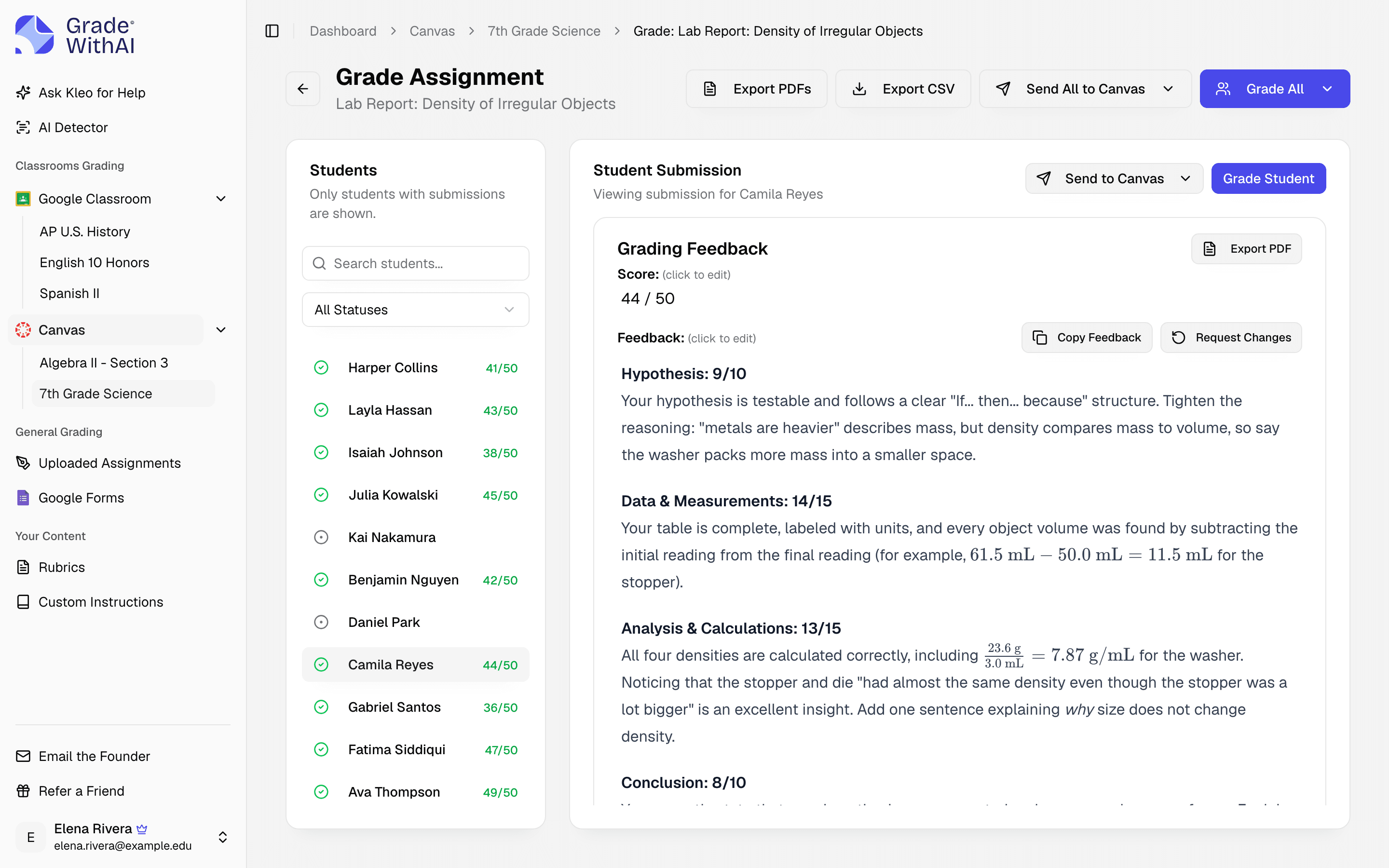
GradeWithAI grades lab reports, CER responses, and quiz short answers in Canvas. It scores each section against your rubric, checks calculations and units, and posts the score and comment to SpeedGrader after you review.
Trusted by 21,000+ teachers, including teachers at
What GradeWithAI checks in science work
- Lab reports by section
- The hypothesis, data, analysis, and conclusion are each scored against your rubric, with a comment on what to fix.
- Calculations and units
- Each calculation is checked, including units, and significant figures when your rubric asks for them.
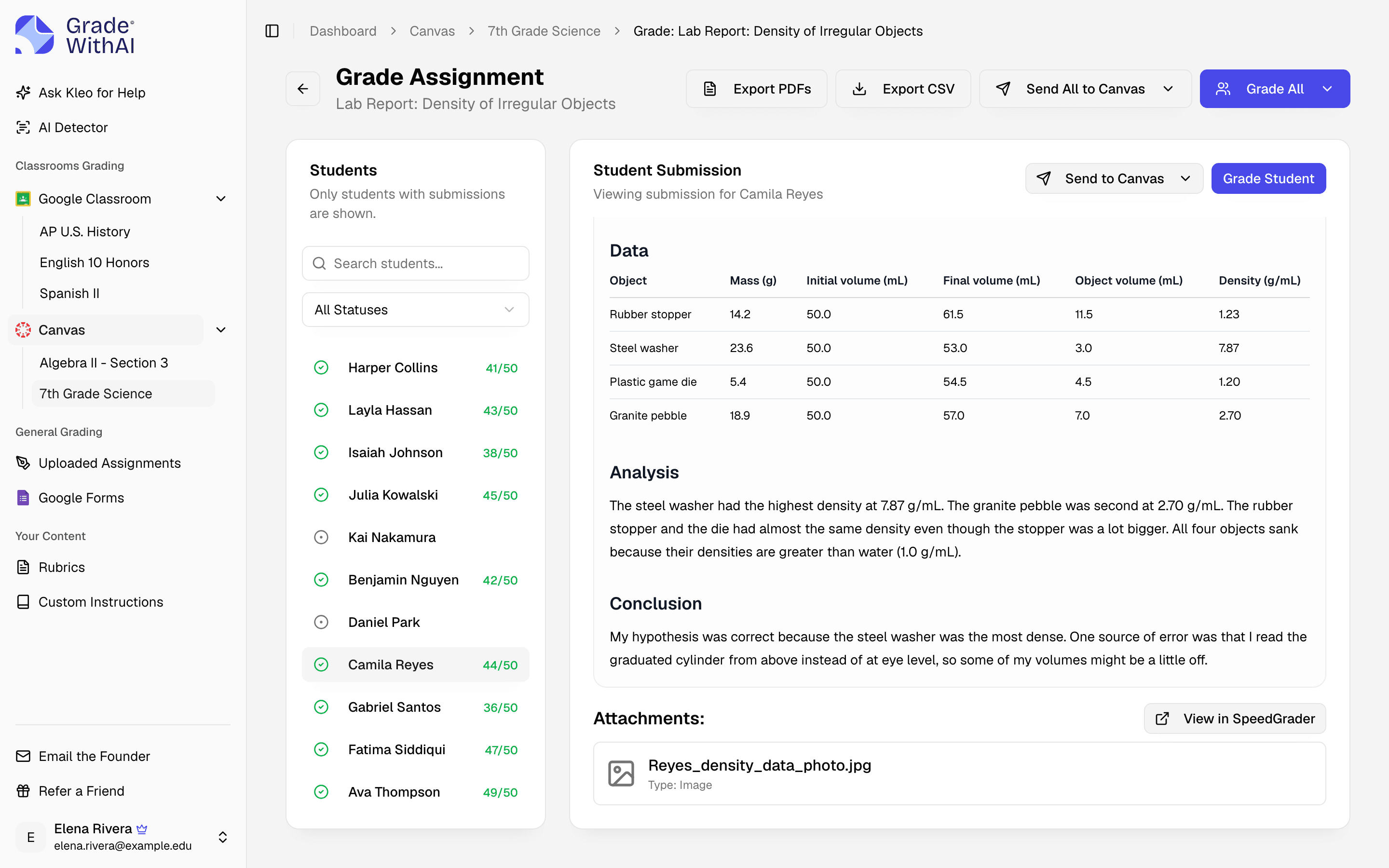
- Data tables and photos of lab data
- Tables in the submission and attached photos of data are read with the report.
- Scores and comments in SpeedGrader
- Send scores and feedback to Canvas after you review them.
Science assignments it grades in Canvas
Lab reports, CER responses, and quiz short answers.
- Biology, chemistry, physics, and earth science
- Comments on units, variables, and sources of error
- Text-entry, PDF, Word, and image submissions
- Grades post to SpeedGrader when you send them
How to grade science assignments in Canvas
- 1
Connect Canvas
In Canvas, open Account → Settings → New Access Token. Paste the token and your Canvas URL into GradeWithAI.
- 2
Set up an assignment
Pick the lab report, assignment, or quiz, enter the max score, and choose or generate a rubric.
- 3
Review and send
Grade the class, edit any score or comment, then send scores and comments to SpeedGrader.
More on the Canvas connection: AI grading for Canvas
Science grading in Canvas: FAQ
Answers to common questions from teachers and school leaders. Something not covered here? Email john@gradewithai.com.
Yes. Each section is scored against your rubric, and attached photos of data tables are read with the report.
Yes, for essay, short-answer, fill-in-the-blank, and file-upload questions in Classic Quizzes. Canvas scores numerical questions itself.
Yes. Put the grade level in your rubric or custom instructions, and choose shorter feedback for brief comments.
Yes. Each student's score posts as the lab report grade, and the section-by-section feedback appears as a submission comment.
Last updated
More Canvas grading
Other ways to connect
 Google Classroom
 Google Forms
 Microsoft Teams
AI grading by assignment type
Grade your next science assignment in Canvas
21,000+ teachers have graded 2,000,000+ student submissions with GradeWithAI.
Free plan · No credit card required
Reported by teachers using GradeWithAI, with feedback on every submission they grade.