GradeWithAI vs CoGrader
CoGrader is an AI grader for essays and other written work, with rubric-based feedback and Google Classroom, Canvas, and Schoology sync. GradeWithAI grades the same kinds of written work, plus math with the work shown and Google Forms short answers.
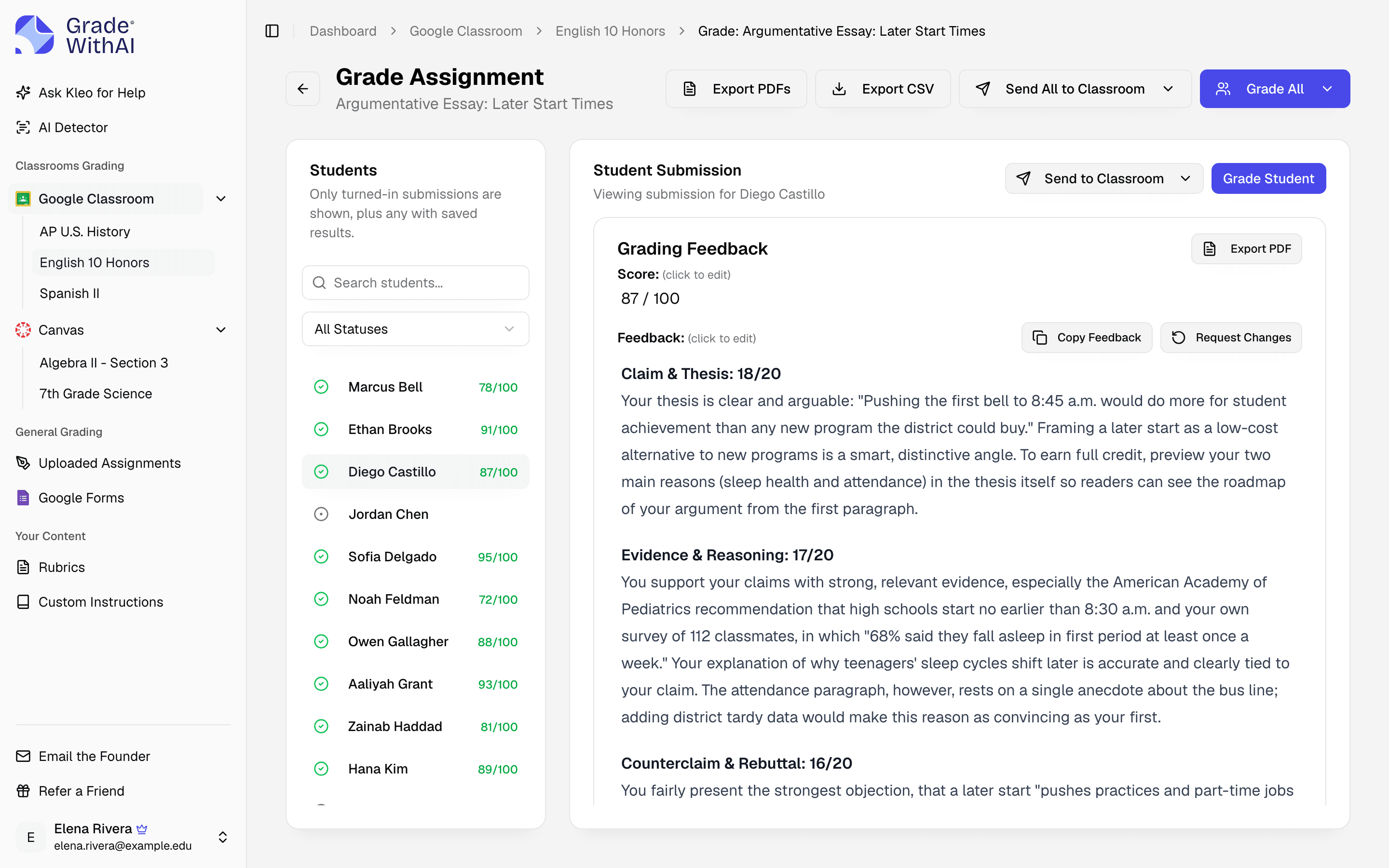
- GradeWithAI is best for
- Teachers who grade math, Google Forms quizzes, and Canvas quizzes and discussions alongside essays and written work.
- CoGrader is best for
- Teachers and schools grading essays and written responses, especially with its library of state-test and AP rubrics.
Where the products differ
Checked against each product's public documentation in October 2026.
| Criteria | GradeWithAI | CoGrader |
|---|---|---|
| Assignment coverage | Essays, short answers, math with work shown, tests, lab reports, projects, and handwritten work. | Essays and open-ended written work, including short answers, DBQs, CER responses, and handwritten essays. |
| Rubrics | Upload your rubric, start from an AP, IB, or general template in the Rubric Library, or generate one. | Upload your rubric or use its library of 500+ state-aligned and AP rubrics. |
| LMS sync | Canvas, Google Classroom, and Google Forms on every plan; Schoology on Schools & Districts; any other LMS by upload and CSV export. | Google Classroom, Canvas, and Schoology; its FAQ says Canvas and Schoology need a school or district account. Upload and CSV export for other LMSs. |
| Free plan | 25 graded submissions every 30 days. | Starter plan: up to 150 submissions a month. |
| Paid plan | Pro: $20 a month or $120 a year, unlimited for normal classroom use. | Individual: $19 a month, or $15 a month billed annually, for 350 submissions a month. |
| AI detection | Pro: a 0–100% AI score and a label on each submission with typed text. | Listed on paid plans. |
CoGrader details checked against cograder.com and its pricing page and FAQ in October 2026.
Where GradeWithAI fits better
- Grades math with the work shown, Google Forms short answers, and Canvas quizzes and discussions as well as essays.
- Canvas, Google Classroom, and Google Forms sync on every plan, including Free.
- Pro has no submission cap for normal classroom use.
- Free no-login tools such as the rubric generator and EZ Grader.
How to test it against CoGrader
- 1Pick one recent assignment you already graded, and its rubric.
- 2Upload the rubric and the student files, or connect Canvas or Google Classroom.
- 3Grade the set and compare the draft scores and comments with your own.
- 4Then try an assignment type you grade often, such as a math quiz or a Google Forms check.
More comparisons
GradeWithAI vs EssayGrader
For teachers who grade math, tests, and quizzes in the same week as essays, in any subject.
GradeWithAI vs Gradescope
For teachers who grade essays, short answers, and handwritten homework rather than scanned fixed-template exams.
GradeWithAI vs Writable
For teachers who need writing and non-writing work scored and sent back to Canvas or Google Classroom.
Further reading: AI grading tools for teachers, Grading software for teachers, VibeGrade alternatives
CoGrader comparison questions
Answers to common questions from teachers and school leaders. Something not covered here? Email john@gradewithai.com.
Both grade essays and written work against a rubric. GradeWithAI also grades math with the work shown, Google Forms short answers, and Canvas quizzes and discussions, and syncs with Canvas and Google Classroom on every plan.
Yes. Upload it as a PDF or Word file, or start from a template in the Rubric Library, then review the draft score and feedback before returning it.
Yes, on Pro and school plans. Turn it on for an assignment and each submission with typed text gets a 0–100% AI-writing score labeled Human Written, Mostly Human, Mostly AI, or AI Generated.
CoGrader's Starter plan is free for up to 150 submissions a month, and its Individual plan is $19 a month or $15 a month billed annually (as of October 2026). GradeWithAI's free plan grades 25 submissions every 30 days, and Pro is $20 a month or $120 a year for unlimited grading.
CoGrader is an AI grader for essays and open-ended written work. It gives rubric-based feedback and syncs with Google Classroom, Canvas, and Schoology.
Last updated
Grade your next class set with GradeWithAI
Try it on one class set. The free plan grades 25 submissions every 30 days.
Free plan · No credit card required
Reported by teachers using GradeWithAI, with feedback on every submission they grade.