Phonics lesson plan generator
Generate phonics lesson plans with a phonemic awareness warm-up, explicit sound-spelling instruction, blending practice, decodable text, and a spelling task.
Free · No account · Print or save as PDF
Include grade level, subject, specific standards, and any instructional strategies or materials you want the plan to use.
0/5000 characters
Free · No sign-up · PDF export
GradeWithAI is used by 21,000+ teachers, including teachers at
What an explicit phonics lesson includes
A phonics lesson teaches the relationship between sounds and spellings and gives students practice using it to read and spell words. This generator writes phonics lessons for the pattern you name, in the five steps that lessons aligned with the science of reading usually follow.
Explicit and systematic
Explicit means the teacher directly teaches each sound-spelling correspondence. Systematic means patterns follow a planned order: CVC words, blends, digraphs, long vowels with silent e, vowel teams, r-controlled vowels, and so on. Name the pattern and where it falls in your scope and sequence.
A phonemic awareness warm-up (segmenting, blending, manipulating sounds)
Explicit sound-spelling instruction with visual support
Blending and segmenting practice with the target pattern
Decodable text reading for application
A spelling or dictation task
Decodable texts
A decodable text uses words students can sound out with the patterns they've been taught. Predictable texts lean on pictures and repeated sentence patterns, which let students guess. For students learning to decode, research supports decodable practice. Check that every word in a generated passage fits what your students have learned.
Ending with spelling
Phonics and spelling use the same knowledge in opposite directions. Close with a spelling task or short dictation using the day's pattern; ask for a word list and dictation sentences and the plan includes them.
How the lesson plan generator works
- 1
Describe the lesson
Include the grade, topic, what students should be able to do, and any standard or framework.
- 2
Pick the length
From 15 to 90 minutes. The plan usually takes 15 to 30 seconds.
- 3
Check and print
Read the objectives and standard codes, then print or save the PDF.
What teachers say
Teachers across subjects, from AP history to astrophysics, on grading with GradeWithAI.
“I've really enjoyed using the GradeWithAI program. It saves me a ton of time, especially when I have class sizes of 35 or 36 students times five.”

“GradeWithAI doesn't just grade. It gives the student reasoning as to why every point is awarded or not awarded. That is a very valuable thing for the students.”

“More impressive though is that it corrects student answers not simply using a pre-written answer, but by following the thought process they've pursued.”

“For Chadwick users, GradeWithAI has improved feedback efficiency and effectiveness, as it is grounded in existing platforms and is highly adaptable.”

“GradeWithAI [provides] students with timely individualized feedback on their homework assignments and formative assessments. This is a job that is virtually impossible for a teacher to do on a regular basis.”

“Students have also appreciated the consistency and immediacy of the feedback I can provide through GradeWithAI. This has enabled them to make necessary corrections and achieve their desired scores on any assignment.”

Grade a whole class set with GradeWithAI
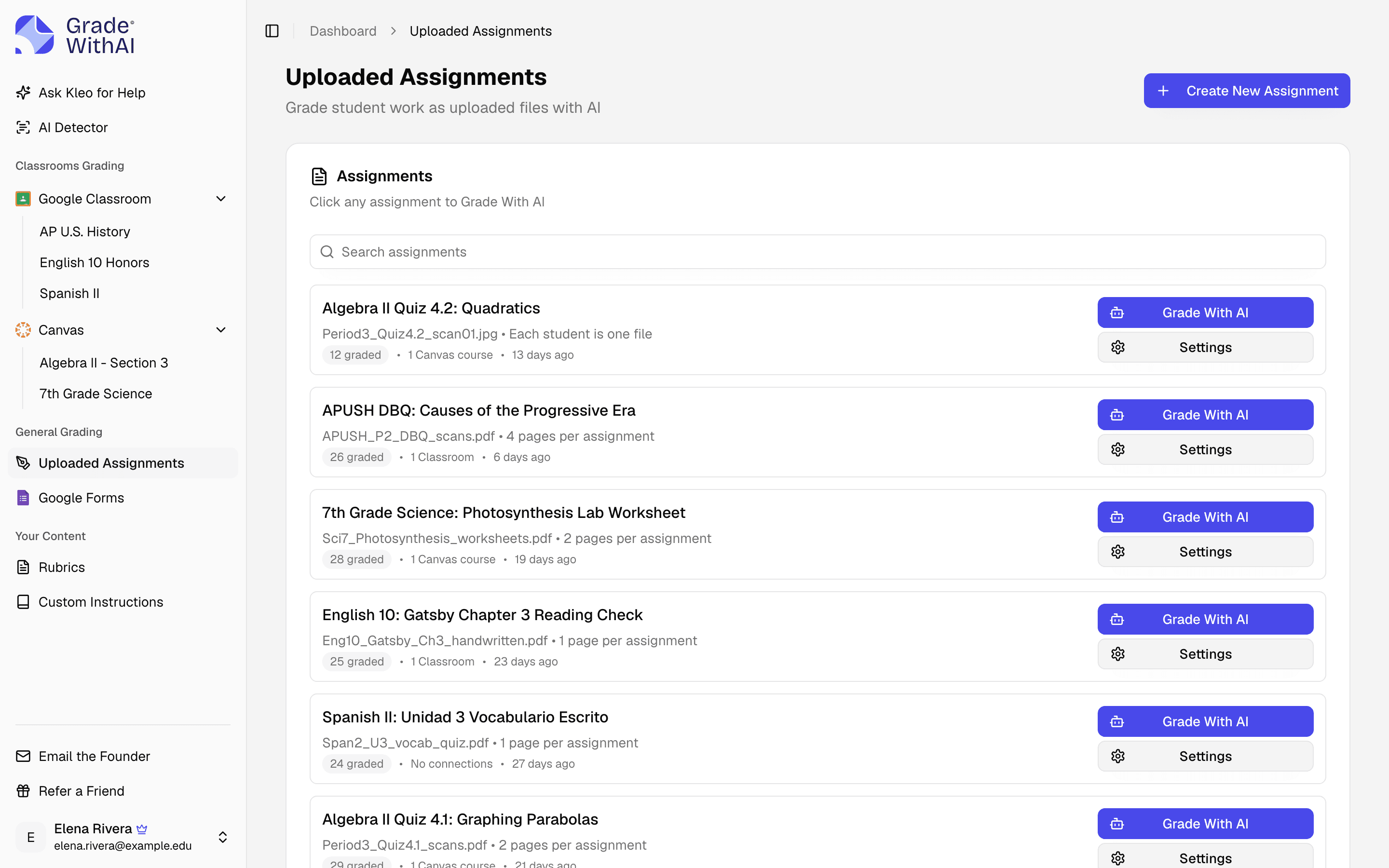
GradeWithAI grades what the lesson produces, from exit tickets and quizzes to essays and lab reports, against your rubric or answer key.
Sync assignments from Canvas, Google Classroom, or Google Forms, or upload files from any other LMS
Reads typed work and handwritten pages from scans or phone photos
Edit any score or comment before students see it
Grading the finished assignments? See how the AI assignment grader works
A title, learning objectives, standards when the lesson calls for them, materials, key vocabulary, timed phases, assessment, differentiation for students who need support, extension, and English learners, plus homework and teacher notes.
The one you name: 5E, gradual release (I do, we do, you do), Madeline Hunter, UbD, SIOP, or another. If you don't name one, it picks a structure that fits the lesson.
Not on the page. Copy the plan into Google Docs or Word to edit it, or print the PDF as is.
Choose 15, 30, 45, 50, 60, or 90 minutes. Each plan covers one lesson, so for a unit, generate one lesson at a time.
Yes, when you name the standard or its code in the description, for example CCSS.MATH.CONTENT.5.NF.A.1. The objectives and activities are written to it. Check any codes it lists against your curriculum.
Treat them as drafts to check. Plans come from a general AI model prompted with a standard lesson structure, so check the objectives, facts, and standard codes before you teach the lesson.
Yes. It writes for the age group you describe, from infant and preschool rooms through 12th grade, in core subjects and electives. Put the grade level or age range in the description so the vocabulary and activities fit.
It is sent to an AI model to write the plan. Nothing is saved to an account. Leave student names, IEP details, and other personal information out.
Usually 15 to 30 seconds.
Yes, with no account, credit card, or subscription.
Lesson plan generators by subject, grade, and framework
Starting points with the subject, grade, and lesson length filled in.
Popular
Templates
- Lesson plan template generator
- Weekly lesson plan template: free daily plans
- Daily lesson plan template
- Preschool lesson plan template
- Kindergarten lesson plan template
- Elementary lesson plan template
- Middle school lesson plan template
- High school lesson plan template
- ELA lesson plan template
- Unit plan template and free lesson generator
- Substitute teacher lesson plan template
- Guided reading lesson plan template
- Toddler lesson plan template
- Infant lesson plan template
Instructional models
- 5E lesson plan generator
- Madeline Hunter lesson plan generator
- Backward design lesson plan generator
- UbD lesson plan generator
- UDL lesson plan generator
- SIOP lesson plan generator
- Detailed lesson plan generator
- Semi-detailed lesson plan generator
- Direct instruction lesson plan generator
- Inquiry-based lesson plan generator
- PBL lesson plan generator
- Flipped classroom lesson plan generator
- Differentiated lesson plan generator
- Cooperative learning lesson plan generator
- Gradual release lesson plan generator
Subjects
- Math lesson plan generator
- Science lesson plan generator
- English lesson plan generator
- History lesson plan generator
- Social studies lesson plan generator
- Biology lesson plan generator
- Chemistry lesson plan generator
- Physics lesson plan generator
- Algebra lesson plan generator
- Reading lesson plan generator
- Writing lesson plan generator
- Art lesson plan generator
- Music lesson plan generator
- PE lesson plan generator
- ESL lesson plan generator
- Spanish lesson plan generator
- French lesson plan generator
- Special education lesson plan generator
- SEL lesson plan generator
- Vocabulary lesson plan generator
- Grammar lesson plan generator
- Geography lesson plan generator
- Health education lesson plan generator
- Computer science lesson plan generator
Grade levels
- Preschool lesson plan generator
- Kindergarten lesson plan generator
- Elementary lesson plan generator
- Middle school lesson plan generator
- High school lesson plan generator
- 1st grade lesson plan generator
- 2nd grade lesson plan generator
- 3rd grade lesson plan generator
- 4th grade lesson plan generator
- 5th grade lesson plan generator
Related tools
Grade what your students turn in
21,000+ teachers use GradeWithAI to grade essays, tests, and handwritten work, and report saving 10+ hours a week.
The free plan grades 25 submissions every 30 days. No credit card.
Reported by teachers using GradeWithAI, with feedback on every submission they grade.